What form of requirements makes most sense to developers? If there are multiple cultures in the mix (Chinese in my case), what makes sense as requirements. Should we do big documented use cases, should it be process diagrams, should it be working prototypes?
There may be some fundamental assumptions – how different human brains processes information, what the established literature recommends, and what works in different team and cultural contexts.
What my team struggled with is dealing with a distributed team and laying out the right format of requirements for them to be productive. Initially, my assumption was that in case of a distributed development team that perhaps lacks the full context of the problems that the software intends to solve, we should focus on creating documents with excruciating details thrown in. So get those requirements specifications to be so well documented that a person with relatively zero context can covert it into working code that fulfills the original goals and desires.
Using the templates set forth by Alistair Cockburn, in Effective Use Cases, we felt pretty good about the format. Others in the team suggested using Control-Action-Response matrix for each UI element on the screen in conjunction with the use cases. This became a laborious process, but we did get it done. What we realized was that the biggest beneficiary of these detailed use cases were the QA team members who got a ready-made template to convert into test cases. The other beneficiary was the offshore development team, who were kind of cut off of the whole contextual nature of the solution. The offshore team members were tackling a completely unfamiliar domain and they lacked the proper preparation to come up with any innovation on their own. The use cases became a very very hard specification of what was supposed to be developed. Very infrequently were the requirements questioned and alternatives proposed.
However, the onsite development team was on a different track. These team members were visiting the end-users regularly, sitting down and observing them, becoming their apprentices for a day or two to really grasp the nature of the problem. Their contextual awareness was very high. In turn, they became one of the chief sources of innovation. The ideas poured in continuously and made a healthy backlog. These improvements were recorded as normal enhancements into JIRA and formed the basis of many features that were absolutely loved by the end-users.
Recently I checked out the “Head First” series of books. These books excel in condensing the relevant information for the brain to process in a very precise, humorous and entertaining fashion, while educating. And I wondered to myself – could this form a model of how we record requirements, how we conduct trainings, and impart education in the classroom. If a teacher is part educator, part entertainer – there is a better chance of him or her engaging the students.
Here are some tools that may help create more entertaining requirements documentation.
Balsamiq Mockups – This is one of the best mockup tools and is very easy to use. I frequently use it to make my requirements documents, and even emails more entertaining. Joel Spolsky is another big user of this tool to help create entertaining essays.
Flickr Creative Commons – I use this site heavily to draw from thousands of funny, humorous photographs to illustrate a point. I am always looking for situations that are well described by some photograph to capture the reader’s attention. Of course, you can draw from your own pool of photos if you have them as well.

Image courtesy – J from the UK at Flickr
ScreenFlow for Mac – Video is the most under-rated tool in requirements definition and can really make a difference in your deliverables. I use ScreenFlow for Mac, but there are equivalent screen recording softwares for Windows as well. For iPhone and iPad, there are numerous apps that will record and screencast.

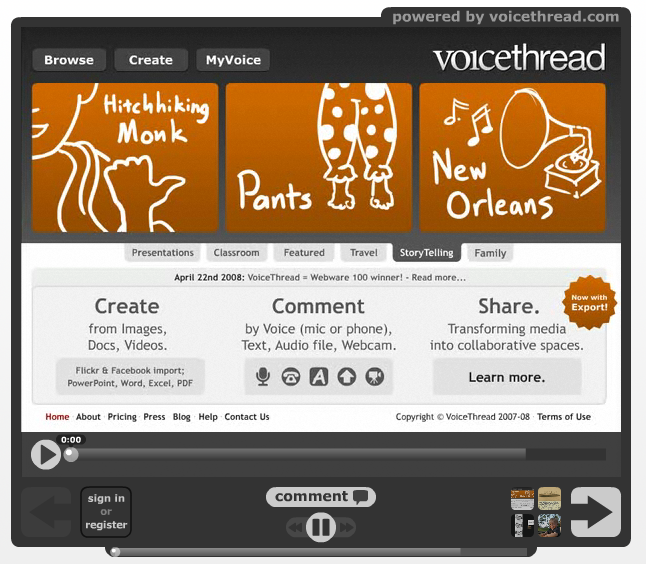
VoiceThread – Why restrict collaboration to text, images, video and audio. Why not use everything in combination? This is the promise of VoiceThread which allows users to interact asynchronously using any media.
This entry was written by Amit, posted on March 5, 2011 at 6:39 pm, filed under innovation, teamwork. Leave a comment or view the discussion at the permalink.
The challenge – fit in user experience at all stages of your agile project. I looked at the “IDEO way“.
Observation
It starts with observation. Observation should start with shadowing people, taking notes, taking photographs, and taking videos. This stage will establish the overall context for the problem solving exercise. The context will establish the end user as a human being instead of a faceless “user”. The problem has to be framed in the terms of the overall context. Instead of simply focusing on specific tasks, start with end user goals – broad and ambitious goals. These goals should guide the development of the applications throughout its lifecycle. What you shouldn’t start with is interviewing users on what they want. In my opinion, the interviews tend to focus on specific pains within the context of the existing applications. Interviews tend to generate ideas that solely focus on fixing the pains that exist right now. Instead, start by interviewing people who may provide the organizational perspective, and the departmental perspective. Once a broad view is established, dive into observation mode by shadowing the users in their day to day activities. Connecting the dots that emerge through this activities provide invaluable insights into what the users are trying to accomplish. Armed with still and video cameras – even something as simple as a phone camera or Flip recorder, you can start to piece together a picture of the user environment, their goals, their usage patterns, and how they interact with their computers, phones and other teammates.
Once you have had a chance to assimilate all the input, go back and interview with more specific questions to help guide the vision for the new application. However, don’t put the users in charge of the innovation. Solicit opinions on their pain points, but use these points as another source of input, not the sole guide for new features.
Ideas
Part of observing includes picking a diverse group of users to bring in as many ideas as possible. There is nothing wrong in copying ideas from other sources that have inspired you. However, encourage diverse and outlandish ideas. At this stage, the mission is to generate as many ideas as possible. Don’t underestimate how hard it is to go through a brainstorming exercise without overt criticism. Team may have the tendencies to start debating ideas as soon as they are generated. The art is to simply log these ideas to come back to them at a separate time. By separating the sessions for generating ideas and judging ideas, you can encourage lateral thinking in the first session.
Rapid Prototyping
Mocking up everything is the key. Ideas can come to life when mocked up and it helps in the narrowing of the choices.
Narrowing down the ideas
In this session, the objective is to focus on those ideas that are executable and the best ideas out of all the ideas generated in the previous session. This session is where the team can debate pros and cons of each idea and get a collective buy-in on what needs to be done. Involve end-users in helping narrow down the choices. Get the buy-in from the project sponsors and executives at this stage. Instead of just focusing on the screens, branch in role-playing the end-users and how “a day in the life of” scenario might work with the new solution.
Implementation
Implement in an iterative way and make it a point to involve the users at frequent checkpoints. Simplicity is hard to achieve. Keep focus on the end user goals and demonstrate the partial product on a frequent basis. Solicit additional user experience feedback and plug it into the enhancement queue.
This entry was written by Amit, posted on April 11, 2010 at 9:57 am, filed under Uncategorized. Leave a comment or view the discussion at the permalink.
During the course of helping clients execute their projects, I observed a common theme across industries. There was a disproportionate amount of project leaders who were strong “drivers” and were “making things happen”. However, beneath the surface revealed teams that became dependent on having such drivers in place.

So I went and re-read Steve Yegge’s landmark article on “good agile, bad agile”. He talked about emergent properties versus the whip. In most organizations, CEOs put “whips” in place to drive projects to completion.
How do you know, if you are in a similar organization? Here is a simple formula:
Take the number of meetings you have every week and multiply it by the number of written status reports you have to provide. If the number exceeds 5, you are probably in an organization that has multiple layers of “whips”.
Ask yourself the question: if no one were to tell me, would I have a clue about what I needed to do for the next 3 months? If you are having trouble coming up with the answer – you are probably in an organization which has not worked on creating emergent properties.
Now surely, there could be a healthier way to promote self-organizing teams. Are we inherently flawed such that in absence of strong direction and push, we are simply incapable of reaching a goal? As teams within organizations, have we just accepted the fact that instead of strong team players with single minded vision, we need to rely more on strong drivers who can push people to get things done?
Ricardo Semler set something in motion at his company. Google believes in emergent properties and incentivizing teams towards self-driven launch goals. Southwest Airlines practices what they call “warrior spirit yet servant’s heart” . But such companies stand out among hordes of other companies. These are companies that are not only ahead of their competition in terms of the best workplaces, but also outperform others in the long term.
Recently, at a conference, I had a chance to interview ReadyTalk co-founder Scott King. ReadyTalk was recently chosen as one of the best places to work in Colorado. According to Scott, their main goal is to be a great place to work at, rather than be the largest company in their chose market space. They intentionally avoid external investor pressure and work hard on their organizational culture as they firmly believe that employee satisfaction reflects directly on a company’s bottom line.
In conclusion, look for signs of a “whip” on your team, don’t panic. Understand the motivations and work with your team on being self-propelled towards a common goal.
This entry was written by Amit, posted on October 30, 2009 at 5:09 pm, filed under leadership, teamwork and tagged leadership, readytalk. Leave a comment or view the discussion at the permalink.

Where do most enterprise software projects go wrong? As a software manager, how can you ensure that the next application your team is about to build will revolutionize your enterprise? Here are my top ten ways to ensure failure to raise the body of work beyond mediocrity:
- Have no real vision behind the project: If the application is not really going to solve any real pains for the consumers of the applications, don’t do it. Cost savings, ease of maintenance – are all noble goals in themselves, but not as worth doing as making that application more useful for the end users.
- Outsource everything to a consulting firm: Firms like Ideo are great when it comes to pinch-hitting that creative idea for you. However, they are not you. Consulting firms cannot replace the lack of in-house talent. They are not a sustainable model when it comes to creating innovation from ground up within the organization. So send your staff to learn from companies like Ideo, but give them fertile ground to grow the organization from within.
- Implement only the customer’s stated desire: If the innovative direction of your product is purely driven by the “stated” features desired by customer, you are putting the customer solely in-charge of the product. Listen to the customer, but don’t put them completely in-charge. Listen, observe, re-learn – from both stated and unstated desires.
- Shield developers from customers: Developers develop software. But have they put a face to the end user who may use the product? Do they feel the connection on a human level? Do they understand the frustrations experienced by the end users? A relationship with the users will result in better product than a relationship with a requirement specification.
- Time-box everything: Letting deadlines drive launch decisions rarely proves to be sustainable. Do it if you can really be ready, but don’t sacrifice quality to meet a launch date. It’s not worth the negative karma from customers.
- Deny mistakes: Nothing is more refreshing than companies admitting they got it wrong. Nothing will restore the respect for you as a leader if you admit a bad decision. Refusal to do so will build a culture around you in which failure is seen as something terrible and to be avoided at all costs.
- Don’t take time to play: If you want your team to be excited about coming back to work on any given Monday, then you have to make time to play. Channel play time into concrete innovations.
- Don’t talk to everyone: Don’t get second hand information from the layer of hierarchy that reports directly to you. Take time to wander around, mingle and get a real grip on problems that may prevent the software from being successful.
- Don’t harness everyone’s ideas: You are the boss. Are your ideas are the most important? Wrong. Ideas that will solve your company’s problems may be closer and cheaper to find than you can imagine and they may not be your own. Start by asking your staff. Continue by inspiring them to improve every single day.
- Have two different game faces – one for employees and one for investors: If your team has no idea into the strategic decisions and direction the company is taking, and they have no idea of company’s financials, they may never understand some of motivations for project decisions. Bring their heads into the game.
This entry was written by Amit, posted on May 17, 2009 at 10:10 pm, filed under innovation, leadership, teamwork. Leave a comment or view the discussion at the permalink.
Progressing from the slideshow last week, I converted the presentation into a podcast. Watch it here.
This entry was written by Amit, posted on April 5, 2009 at 6:42 pm, filed under Uncategorized. Leave a comment or view the discussion at the permalink.
Ever since I first used hulu.com, I knew that it was a work of a great team. I was even more delighted to learn that the product was developed partly in China with the help of an offshore team. The core teams are located in Los Angeles, Chicago and Beijing.
From the CNN article, “Money, it turned out, was not an object for Hulu. In May, Providence Equity Partners offered a cool $100 million for a 10% stake – giving the nascent operation an astonishing valuation of $1 billion.
But the secret of Hulu’s initial success – the thing that made believers out of the skeptics – is the power and simplicity of the website itself. Hulu’s creators focused with almost obsessive attention to detail on the user’s experience.”
So how do companies become great and create ground-breaking products? The answer partly lies in the underlying philosophy behind the organization.
Here is an excerpt from “What defines Hulu”: “We are passionate in our opinion that the world has long since exceeded its quota in the mediocrity department.
We believe our professional calling is to deliver quality. And not simply run-of-the-mill, five-star quality. For Hulu, nothing less than brain-spray awesome quality* will do, down to the finest detail. This atypically high quality bar leads us to sweat every pixel, every second of transcode, every customer.”
So when you are making your next product, ask yourself this question: what is the definition of quality for you? Will your product get a response like “My first hulu experience made my head explode in a brain-spray of awesome.’
This entry was written by Amit, posted on October 6, 2008 at 4:23 pm, filed under Uncategorized. Leave a comment or view the discussion at the permalink.
How long will we keep building software that has 10 search boxes on its search page? Google launched in year 1999, and its user interface has one text field and two buttons(one too many in my opinion). Today we are still building screens with more than 50 items, numerous buttons, drop-downs, long scroll after scroll. When will we learn that users need less not more user interface.Choices = Headaches
Imagine you are building a user interface for the Army, for a battle decision control system, where pushing wrong buttons could result in loss of lives. Now rethink the interface from the army commander’s perspective – how would you present this information. Suddenly you become sensitive to throwing more drop-downs, text boxes and buttons on there. I think you have started to see the picture of the impact of your user interface on the day to day life of the end user.
How do we innovate our user interfaces. Certainly not by “asking” the users what they would like. Innovation is creative solutions to user pains that may come by “observing” the user, their context and their larger world in general. It cannot be accomplished simply by “asking” the user. “Why” is a friendly weapon in an innovator’s arsenal to determine what the user motivations are, and what the current pain points are. Of course, it takes creative software development team to convert the idea into working software that resembles something that understands the user. This is why it is my firm belief that great software can only come from teams that have user empathy at the core of their effort, whether their contribution is that of a requirement writer, designer, developer, or tester. If every single person on the team cannot envision their product in the hands of the eventual user, they will not be able to build a very effective piece of software. Every small decision that a requirement writer, developer or tester takes has eventual impact on the usability of the software. It is virtually impossible to make software development “factory like” work with specifications, in my opinion. The states that the executing code be in at any given moment explodes once developers start converting requirements specifications into executable code. At this point, developer make conscious decisions on the behavior of the software, sort of “reading in-between the lines” of the specifications. How good the product will end up to be will depend on what developer wrote and what the tester interpreted as the requirement to be.This is as much art as much it is science. The quality of your people will determine the end result.
So we owe it to our teams to teach them to write software with less interface and coming up with innovative ways to solve the problems that the users don’t know need solving yet.
This entry was written by Amit, posted on at 4:17 pm, filed under Uncategorized. Leave a comment or view the discussion at the permalink.
Opening defects is time consuming. So why not let the code automatically enter defects in your bug tracking system. Of course, this means your bug tracking software should provide ability to open defects via APIs, via Emails, or any other programmatic means.
Second, all untrapped exceptions must be logged as defects automatically by the exception handling code. Now how do you determine if the same defect is already logged and prevent a flood of the such defects?
One easy way to uniquely identify a defect is Line Number of the Code. Every time an exception occurs it originates at a certain line of code in a certain class. Thats the unique identification.
Before opening a new defect, the bug tracker should check if a defect exists with same class and same line number. If it does exist, then the new event gets appended to the existing defect instead of creating a new one.
Want a bug tracking/project tracking software that already does all of the above? Try FogBugz.
This entry was written by Amit, posted on at 4:17 pm, filed under Uncategorized. Leave a comment or view the discussion at the permalink.
When porting a thick client application to a web based application, there are some significant challenges that the team needs to think about.
Let me illustrate this transition by hypothetically taking away some of your favorite thick client applications. Imagine your boss comes in one day, and tells you “We are getting rid of all thick client applications because this is 2008 and we will be moving all application to web based interface. So tomorrow you will be receiving new computers that will only have a web browser (kinda like the machines you see if you ever used Denver Public Library computer).
No more MS Word or Excel or PowerPoint or even Outlook. Eclipse? ha! use an online text editor. Instant Messenger? use web based chat.
Just imagine going one day by just using web based versions of your favorite applications. Not a pretty picture. Why is this? Many reasons, but primarily because most web based applications do not provide the same user experience as a thick client does. That and our need for speed. Many web based application still perform poorly compared to their thick client cousins.
Web usability guru Jacob Nielsen talks about response times highlights pretty interesting facts:
1) 0.1 second is about the limit for having the user feel that the system is reacting instantaneously, meaning that no special feedback is necessary except to display the result.
2) 1.0 second is about the limit for the user’s flow of thought to stay uninterrupted, even though the user will notice the delay. Normally, no special feedback is necessary during delays of more than 0.1 but less than 1.0 second, but the user does lose the feeling of operating directly on the data.
Jacob also provides some useful advice on how to design the interface so as to make it more responsive to user needs. Notice that there is a difference between actual response times and perceived response times. What matters to end user is perceived response time.
So when rewriting an existing thick client application to a web based interface, these challenges must be kept on top of list or the application will be what Outlook for Web Access has become. A nice to have alternative that you will use only if Outlook thick client is not available.
This entry was written by Amit, posted on at 4:16 pm, filed under Uncategorized. Leave a comment or view the discussion at the permalink.
When an existing application is being replaced by a new application, performance and usability requirements become intricately linked. In case of data entry applications, what matters is the speed and agility with which the user can get through a given scenario. This is where things get tricky. The speed is not only a function of how fast the system responds (performance) but also how is the interaction design of the application aiding in that agility(usability).
Consider a call center customer care application. If your boss comes to you and says “I need you to plan a new call center. Let me know how many people will you need to answer calls and manager those who are answering calls”, you may naturally ask questions such as “how many calls do we receive on average and peak times?” and “what types of calls are coming in?” and “how long does it take typically to get through a single call?”. Since you are a math genius, you figure, you will do some math and take number of calls on an average day, multiply by time it takes to handle a single call and divide by 8 hours.. and ta da you should have a magic figure of how many people you need. So some years pass by and existing application must be replaced with a new application. How is your life as a call center manager going to change?
Is the new application making the customer service representative take longer to get through each call or its making their life easier by taking less time than before? Is the application high friction and making the life of the customer and the service representative much harder?
So how do performance and usability play into this? Performance testing in isolation is only step one. Step two must be a combined usability drill during peak load conditions to validate that the new application indeed makes life better.
If you were the customer paying for the new application, wouldn’t you expect this validation?
This entry was written by Amit, posted on at 4:12 pm, filed under Uncategorized. Leave a comment or view the discussion at the permalink.
« Previous Entries
